Sitecore to AI-Ready Headless CMS Migration: SEO, AEO and GEO Protection Guide
In This Article
- 1. Benchmark Search Visibility Before Migration
- 2. Build a URL-by-URL Redirect Map
- 3. Map Sitecore Templates Into Structured Content Models
- 4. Protect Metadata and Schema
- 5. Migrate AEO and GEO Signals
- 6. Protect Multilingual SEO
- 7. Make Next.js Content Crawlable
- 8. Preserve Analytics and Conversion Tracking
- 9. Run Pre-Launch SEO Parity Testing
- 10. Monitor Aggressively After Launch
- Migrate Without Losing Visibility
Moving from Sitecore to XM Cloud, SitecoreAI CMS, Sanity, another headless CMS, or a Next.js architecture can improve performance, publishing speed and content reuse.
But migration also creates one of the highest-risk moments for enterprise search visibility.
URLs can change. Metadata can disappear. Canonicals can break. Schema can be dropped. Multilingual relationships may be lost. JavaScript rendering can hide important content. Analytics baselines can vanish.
And increasingly, enterprises must protect more than traditional SEO.
A modern Sitecore to headless CMS migration should preserve SEO + AEO + GEO + AI-readiness from the beginning.
1. Benchmark Search Visibility Before Migration
Do not start by moving content.
Start by documenting what already works.
Create a pre-migration baseline covering:
- organic traffic
- rankings
- indexed URLs
- backlinks
- top landing pages
- conversions
- page speed
- Core Web Vitals
- AI citations and brand mentions where measurable
Also crawl the existing Sitecore estate and export URLs, status codes, titles, descriptions, canonicals, headings, hreflang, schema, internal links and redirects.
Official CMS migration guidance recommends auditing content and crawling URLs, links, redirects and metadata before migration, while also benchmarking analytics for post-launch comparison.
Review the CMS migration guide

Migrate Without Losing Search Visibility
Protect rankings, redirects, metadata, schema, multilingual content, analytics, AEO and GEO during Sitecore or headless CMS migration.
2. Build a URL-by-URL Redirect Map
Redirect planning is one of the most important parts of Sitecore migration SEO.
Whenever possible, preserve strong existing URLs.
When URLs must change, map each valuable legacy URL directly to its closest new destination.
Avoid:
- redirect chains
- bulk redirects to the homepage
- temporary redirects for permanent moves
- orphaned legacy URLs
- redirecting unrelated pages together
Google recommends server-side permanent redirects such as 301 or 308, direct mapping to final destinations and keeping redirects in place for at least one year.
A strong migration checklist similarly recommends 1:1 redirect mapping, preserving metadata, maintaining structured data and validating canonicals before launch.
See the 2026 CMS migration SEO checklist
3. Map Sitecore Templates Into Structured Content Models
A migration should not simply copy Sitecore pages into a different database.
Map the content architecture.
Typical transformations include:
Sitecore templates → content types
Template fields → structured fields
Renderings → frontend components
Datasource items → reusable content objects
Item paths → routes
Language versions → localized documents or variants
This is especially important when planning a Sitecore to Sanity migration or another headless architecture.
A detailed Sitecore headless migration framework recommends inventorying templates, renderings, language versions, media, integrations and URLs before rebuilding the target content model.
Migrate Sitecore Without Losing Search or AI Visibility
4. Protect Metadata and Schema
Your new CMS should explicitly preserve or improve fields for:
- SEO title
- meta description
- canonical URL
- robots directives
- Open Graph metadata
- image alt text
- author information
- published and modified dates
- structured data
Do not assume the new Next.js frontend will automatically reproduce everything Sitecore currently outputs.
Create parity tests between old and new rendered HTML.
Schema should also be rebuilt from structured CMS fields rather than hardcoded page by page.
For enterprises that need remediation before or after migration, Sitecore SEO Services can address technical SEO, rendering, schema, Core Web Vitals, AEO and GEO.
5. Migrate AEO and GEO Signals
An AI-ready CMS migration should preserve more than conventional metadata.
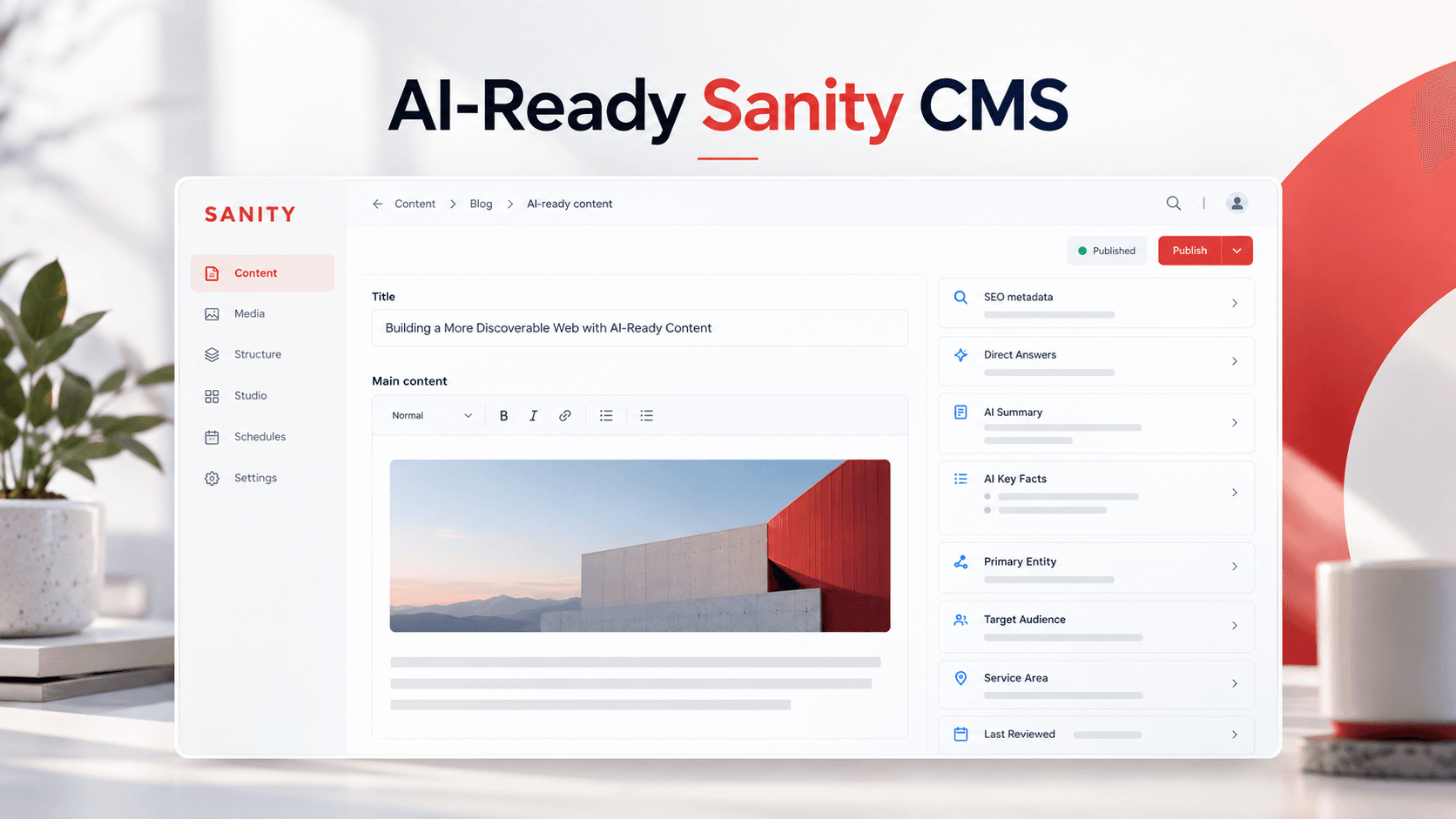
Important pages should have structured fields for information such as:
- direct answers
- FAQs
- AI summary
- AI search snippet
- key facts
- important questions
- primary entity
- target audience
- service area
- author or reviewer
- last reviewed date
- supporting references
These fields make high-value information easier to maintain and reuse across pages, APIs and future AI experiences.
CMS architecture directly affects metadata, structured data, freshness, internal linking, semantic structure and answer-ready content.
Review the enterprise CMS AI-readiness framework
For broader visibility planning, connect the migration roadmap with AI Search Optimization Services.
6. Protect Multilingual SEO
Multilingual Sitecore migrations deserve their own workstream.
Preserve:
- language versions
- locale-specific URLs
- hreflang
- canonical relationships
- translated metadata
- regional content
- localized internal links
- multilingual XML sitemaps
Do not create new language-routing conventions without mapping the old structure first.
Sitecore’s current migration tooling also treats the number of sites, pages, languages, templates and components as important migration-scope variables.
7. Make Next.js Content Crawlable
Headless architecture is not automatically better for SEO.
A fast Next.js website can still lose visibility if critical content, links or metadata depend on client-side rendering.
Google states that server-side rendering or pre-rendering remains a strong approach because it benefits users and crawlers, and not every bot executes JavaScript.
Priority page content should therefore be available in rendered HTML, including headings, body text, important links, answers and metadata.
8. Preserve Analytics and Conversion Tracking
Before cutover, document:
- analytics configuration
- Search Console properties
- Bing Webmaster Tools
- tag manager
- conversion events
- forms
- CRM integrations
- campaign tracking
- consent management
CMS migration affects more than rankings. Broken analytics can make a successful migration appear unsuccessful or hide genuine losses.
Build Your Sitecore Migration Roadmap With Expert Guidance
9. Run Pre-Launch SEO Parity Testing
Before production launch, crawl the staging environment and compare it with the legacy Sitecore site.
Validate:
- URLs and redirects
- Titles and descriptions
- Canonicals
- Robots directives
- XML sitemaps
- Headings
- Internal links
- Schema
- Hreflang
- Analytics
- Core Web Vitals
- AEO/GEO fields
- Server-rendered content
Do not remove staging noindex controls without a launch checklist.
10. Monitor Aggressively After Launch
A migration is not finished when DNS changes.
Monitor:
- 404 errors
- redirect failures
- indexation
- sitemap processing
- canonical changes
- ranking movement
- organic traffic
- conversions
- Core Web Vitals
- AI citations and mentions
Temporary ranking volatility can occur while search engines recrawl and reprocess migrated URLs.
Migrate Without Losing Visibility
A successful Sitecore to headless CMS migration protects more than content.
It protects the search equity, structured information, entity relationships, metadata, analytics and AI-readiness that make that content discoverable.
Whether you are modernizing toward SitecoreAI CMS, Sanity, Next.js or another composable platform, build SEO, AEO and GEO protection into the migration architecture from day one.
Frequently Asked Questions
How do you migrate Sitecore to a headless CMS without losing SEO?
Start with a complete SEO baseline and URL inventory, preserve high-value URLs where possible, build one-to-one permanent redirects for changed URLs, migrate metadata and structured data, retain internal links and multilingual relationships, validate server-rendered content, and monitor indexing, rankings and conversions after launch.
What should a Sitecore migration SEO checklist include?
A Sitecore migration SEO checklist should include URL inventory, rankings, traffic baselines, redirects, canonicals, robots directives, XML sitemaps, metadata, headings, internal links, schema, hreflang, Core Web Vitals, analytics, conversion tracking, AEO and GEO fields, and post-launch monitoring.
How should redirects be handled during a Sitecore migration?
Map each important legacy URL directly to its most relevant new URL using a permanent server-side redirect such as 301 or 308. Avoid redirect chains, redirect loops and sending large numbers of unrelated pages to the homepage.
How do you protect metadata and schema during a headless CMS migration?
Export existing titles, descriptions, canonicals, robots directives, Open Graph data and structured data before migration, map them into the new content model and compare the rendered output of old and new pages before launch.
How can Sitecore content models be migrated to a headless CMS?
Map Sitecore templates to target content types, fields to structured fields, renderings to frontend components, datasource items to reusable content objects, item paths to routes and language versions to localized documents or variants.
How do you protect multilingual SEO during Sitecore migration?
Preserve locale-specific URLs, hreflang relationships, translated metadata, language-specific canonicals, localized internal links and multilingual XML sitemaps. Any URL or routing changes should be mapped before migration begins.
What should be migrated for Sitecore AEO and GEO?
AEO and GEO migration should preserve or introduce structured direct answers, FAQs, AI summaries, AI search snippets, key facts, important questions, primary entities, audiences, service areas, authors, review dates and supporting references.
How does Next.js affect SEO during a Sitecore headless migration?
Next.js can support strong SEO when important headings, copy, links, metadata and structured data are available in server-rendered or pre-rendered HTML. Critical search content should not depend entirely on client-side JavaScript.
What analytics should be protected during CMS migration?
Preserve analytics configuration, Search Console and Bing Webmaster Tools verification, tag management, conversion events, forms, CRM integrations, campaign tracking, consent settings and baseline performance data so pre- and post-migration results can be compared.
How do you know if a Sitecore migration was successful?
Measure redirect accuracy, crawl errors, indexation, rankings, organic traffic, conversions, Core Web Vitals, sitemap processing, canonical behavior, multilingual signals and AI citation visibility. Compare these metrics with the pre-migration baseline.