Telemedicine Video Consultation Platform MVP Development
In This Article
- From Healthcare Idea to Scalable Digital Care
- What Is a Telemedicine Video Consultation Platform MVP?
- Why Healthcare Organizations Should Begin With an MVP
- Validate the healthcare business model
- Launch online consultations faster
- Collect real user feedback
- Control initial investment
- Prepare for scalable development
- Patient
- Doctor
- Administrator
- 1. Patient Registration and Secure Access
- Key capabilities
- 2. Doctor Discovery and Appointment Booking
- Booking features
- 3. Doctor Availability Management
- 4. Secure Video Consultation
- Video consultation capabilities
- 5. Patient Information and Medical History
- 6. Digital Consultation Notes
- Consultation record fields
- 7. Digital Prescription Generation
- Prescription information
- 8. Online Consultation Payments
- Payment workflow
- 9. Patient Portal
- 10. Doctor Dashboard
- Dashboard sections
- 11. Administration Dashboard
- Administrative capabilities
- Phase Two Opportunities
- Phase Three Opportunities
- AI for Patients
- AI for Doctors
- What features should a telemedicine MVP include?
- How long does telemedicine MVP development take?
- Should video consultation be built from scratch?
- Can the platform integrate with an existing HMS or EHR?
- Can AI be added to a telemedicine MVP?
- Can telemedicine generate revenue for hospitals?
- Planning a Telemedicine Platform?
From Healthcare Idea to Scalable Digital Care
Healthcare delivery is no longer limited to a hospital building, clinic reception, or physical consultation room.
Patients increasingly expect to discover doctors online, view availability, schedule appointments, consult securely through video, make digital payments, receive prescriptions, and complete follow-ups without unnecessary travel or waiting.
For hospitals, clinics, healthcare networks, and digital health startups, this creates an important business opportunity:
Launch a secure telemedicine service that expands patient access, improves doctor utilization, and creates a new digital consultation revenue channel.
At Murmu Software Infotech, we have developed and delivered healthcare software solutions covering hospital operations, OPD workflows, patient engagement, mobile applications, healthcare CRM, AI-assisted workflows, and remote consultations.
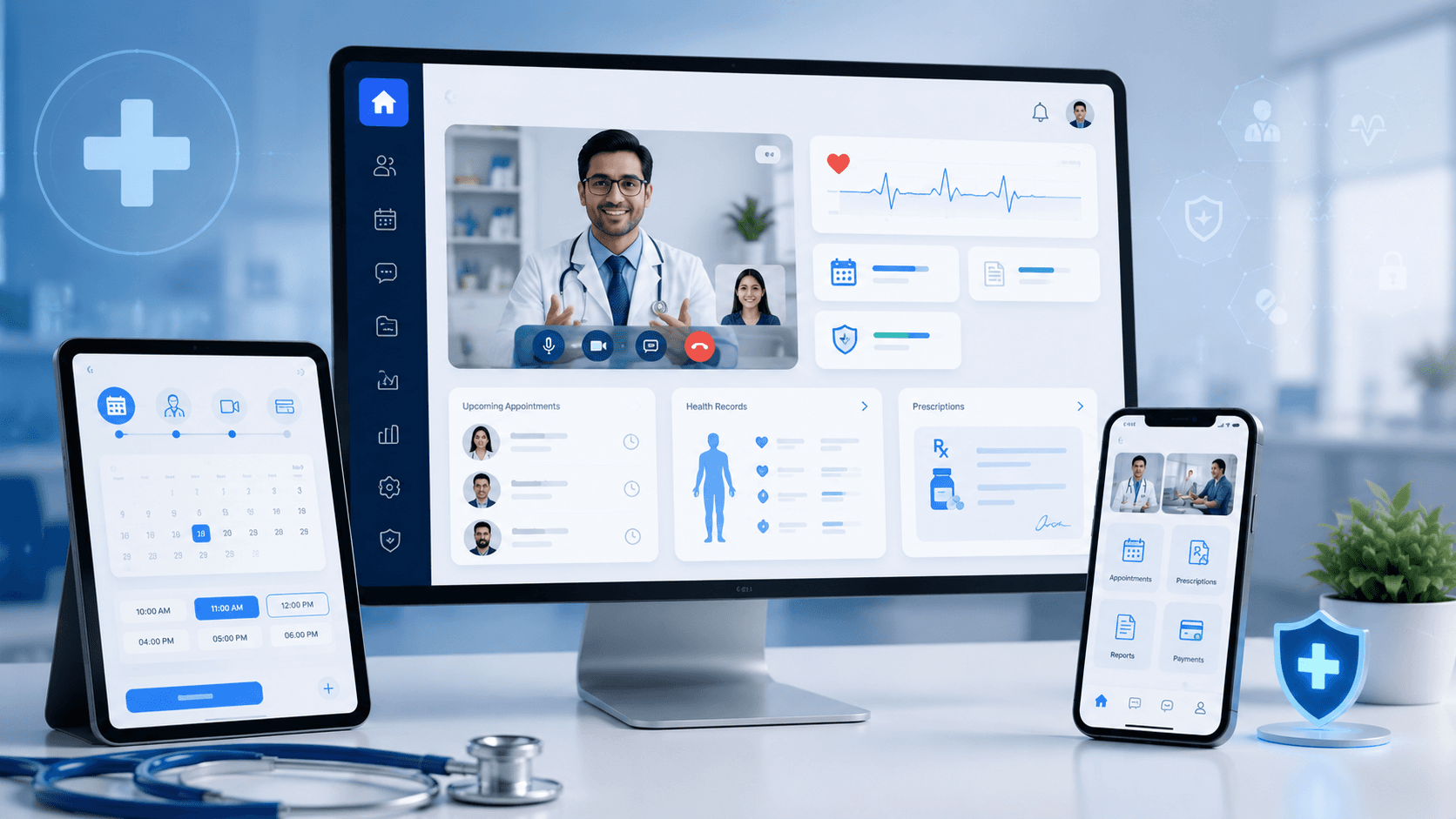
We recently developed a telemedicine video consultation platform MVP focused on validating the complete digital consultation journey for patients, doctors, and healthcare administrators.
This article explains what we built, which features matter during the MVP stage, how the workflow operates, and how a focused telemedicine MVP can evolve into a scalable healthcare ecosystem.
What Is a Telemedicine Video Consultation Platform MVP?
A telemedicine MVP is the first functional version of a virtual-care platform containing only the capabilities necessary to deliver and validate remote consultations.
It is not simply a video-calling application.
A practical telemedicine MVP connects:
- Patient registration
- Doctor discovery
- Appointment scheduling
- Doctor availability
- Consultation payments
- Secure video calls
- Consultation documentation
- Digital prescriptions
- Patient history
- Follow-up management
- Administrative monitoring
The purpose of telemedicine video consultation platform MVP development is to test whether patients, doctors, and administrators can complete this entire workflow easily, securely, and efficiently.
Instead of investing immediately in every possible feature, an MVP helps the healthcare organization validate:
- Whether patients complete bookings
- Whether doctors adopt the consultation workflow
- Where users abandon the process
- How long consultations take
- Which operational steps still require manual work
- Whether patients return for follow-ups
- Which features should be prioritized next
This reduces product risk and creates a clearer roadmap for future development.
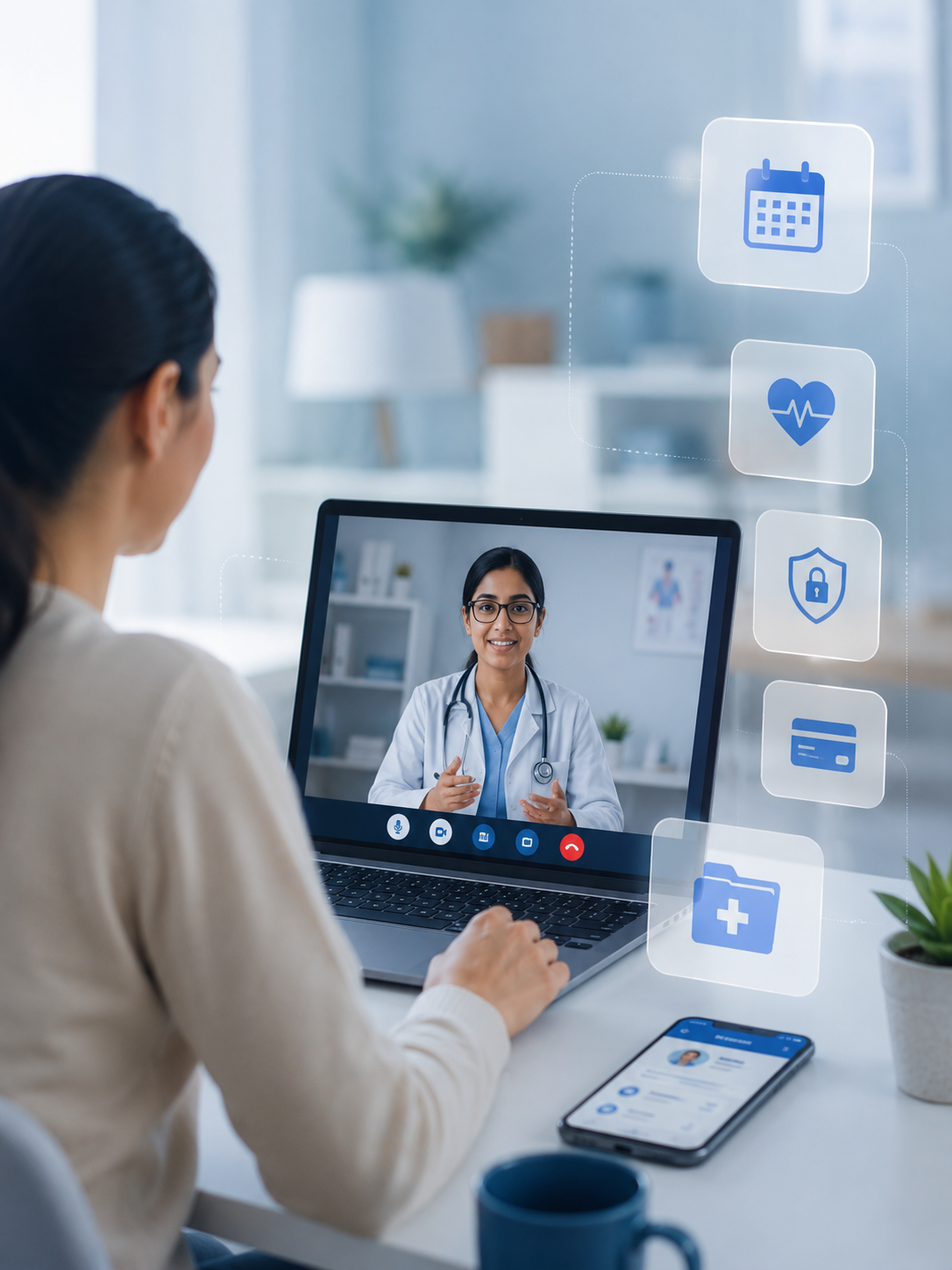
Launch Smarter Digital Healthcare
Turn your healthcare idea into a secure, scalable telemedicine platform with seamless video consultations, appointments, payments, and patient care.
Why Healthcare Organizations Should Begin With an MVP
Hospitals and healthcare startups often begin with a long list of requirements:
- Video consultations
- Native mobile applications
- Electronic health records
- Insurance workflows
- Pharmacy integration
- Laboratory integration
- Remote patient monitoring
- AI symptom assessment
- Multi-location management
- Advanced analytics
Many of these features may eventually be valuable. However, building everything before validating the core consultation journey can increase cost, delay launch, and make the platform difficult for doctors and patients to adopt.
A focused MVP allows the organization to:
Validate the healthcare business model
The platform can test consultation fees, doctor participation, patient acquisition channels, follow-up demand, and specialty-specific use cases.
Launch online consultations faster
Hospitals can introduce online OPD services without waiting for a complete enterprise healthcare platform.
Collect real user feedback
Doctors, patients, reception teams, and administrators can identify practical workflow improvements after using the product.
Control initial investment
The organization invests first in the features required to prove clinical, operational, and commercial value.
Prepare for scalable development
A strong MVP architecture can later support mobile apps, CRM, HMS integration, AI assistants, remote monitoring, and multi-location expansion.
The Business Challenge
Many healthcare organizations already conduct some remote consultations using phone calls, messaging applications, or general-purpose meeting tools.
However, these disconnected methods create several problems:
- Appointments are managed manually
- Doctors do not receive structured patient information
- Consultation links are shared separately
- Payments are difficult to track
- Prescriptions are sent through unrelated channels
- Patient history remains scattered
- Follow-up care is inconsistent
- Hospital management lacks operational visibility
- Patient data may pass through unsuitable systems
The goal of our telemedicine MVP was to bring these activities into one connected, healthcare-focused workflow.
What We Developed
We designed the platform around three core users:
Patient
The patient can register, find a doctor, book a consultation, make payment, join the video call, receive a prescription, and access previous consultations.
Doctor
The doctor can manage availability, review appointments, access patient details, conduct video consultations, add notes, generate prescriptions, and recommend follow-ups.
Administrator
The administrator can manage doctors, patients, schedules, consultations, payments, user roles, and operational reports.
This role-based structure keeps each user experience focused and easy to understand.
Core Features of the Telemedicine MVP
1. Patient Registration and Secure Access
Patients can create an account using basic personal and contact information.
The onboarding experience is intentionally simple because complicated registration can reduce appointment completion.
Key capabilities
- Patient account creation
- Email or mobile verification
- Secure login
- Patient profile management
- Consultation history
- Prescription access
- Role-based authorization
The platform can later be expanded with social login, multi-factor authentication, national health identifiers, insurance information, or healthcare identity integrations.
2. Doctor Discovery and Appointment Booking
Patients can search for a suitable practitioner based on specialty, department, availability, consultation type, or location.
Booking features
- Doctor profile
- Specialization and experience
- Consultation fees
- Available dates and time slots
- Online appointment booking
- Appointment confirmation
- Rescheduling and cancellation
- Consultation status tracking
- Reminder notifications
The scheduling experience should require as few steps as possible:
Find Doctor → Select Time → Pay → Confirm Appointment
Turn Your Telemedicine Concept Into A Scalable Healthcare MVP
3. Doctor Availability Management
Doctors receive a dedicated interface to manage their schedules.
They can:
- Set consultation days and hours
- Create available time slots
- Block unavailable periods
- Add breaks
- View upcoming appointments
- Review completed consultations
- Access the patient queue
- Update appointment status
This helps reduce scheduling conflicts and improves the utilization of available doctor time.
4. Secure Video Consultation
The video consultation is linked directly to the confirmed appointment.
The patient and doctor enter a controlled virtual consultation room rather than exchanging generic meeting links.
Video consultation capabilities
- One-to-one video call
- Appointment-based access
- Camera and microphone controls
- Connection-status indicators
- Doctor and patient identity validation
- Consultation start and completion status
- Mobile and desktop browser support
- Optional secure messaging and document exchange
The video provider and infrastructure should be selected based on expected traffic, supported markets, data requirements, security controls, and future scalability.
5. Patient Information and Medical History
Before beginning the consultation, the doctor can review relevant patient information.
This may include:
- Current complaint
- Previous consultations
- Existing conditions
- Known allergies
- Current medications
- Uploaded reports
- Previous prescriptions
- Follow-up history
The initial MVP may begin with basic consultation history and later integrate with an HMS, EMR, EHR, LIMS, pharmacy platform, or external healthcare system.
6. Digital Consultation Notes
During or after the video consultation, the doctor can record structured clinical information.
Consultation record fields
- Chief complaint
- Patient-reported symptoms
- Clinical observations
- Doctor-entered assessment
- Recommended investigations
- Treatment instructions
- Follow-up date
- Referral notes
The interface should minimize unnecessary typing and allow doctors to complete documentation without navigating through multiple screens.
7. Digital Prescription Generation
After the consultation, the doctor can create a structured digital prescription.
Prescription information
- Patient details
- Doctor details
- Consultation date
- Diagnosis or assessment
- Medicine name
- Dosage
- Frequency
- Duration
- Instructions
- Recommended tests
- Follow-up guidance
- Doctor approval or signature
The final prescription can be generated as a downloadable PDF and stored in the patient portal.
Doctors remain responsible for reviewing and approving all prescription information before it becomes available to the patient.
8. Online Consultation Payments
The platform can collect consultation fees during appointment booking.
Payment workflow
- Display consultation fee
- Initiate secure payment
- Confirm transaction
- Create payment receipt
- Confirm appointment
- Track payment status
- Display payment history
A connected payment workflow helps hospitals establish telemedicine as a measurable digital revenue channel rather than an informal service.
9. Patient Portal
The patient portal provides one place to access digital healthcare interactions.
Patients can view:
- Upcoming appointments
- Completed consultations
- Prescriptions
- Consultation summaries
- Payment history
- Follow-up recommendations
- Notifications
- Personal profile
Future versions may include lab reports, medical records, insurance information, health packages, medication reminders, and family profiles.
10. Doctor Dashboard
The doctor dashboard is designed around the practitioner’s daily workflow.
Dashboard sections
- Today’s appointments
- Upcoming consultations
- Waiting patients
- Patient history
- Start-video-consultation action
- Consultation notes
- Prescription generation
- Follow-up scheduling
- Completed consultations
A doctor should be able to move from the patient queue to consultation completion with minimum clicks.
11. Administration Dashboard
Healthcare administrators need visibility across the telemedicine service.
Administrative capabilities
- Doctor onboarding and verification
- Patient management
- Appointment monitoring
- Consultation tracking
- Payment reports
- User and permission management
- Doctor availability oversight
- Basic platform analytics
- Support issue management
- Audit activity
Future dashboards can track:
- Appointment conversion rate
- Completed consultation rate
- No-show rate
- Doctor utilization
- Telemedicine revenue
- Specialty performance
- Patient retention
- Average waiting time
- Patient satisfaction
Complete Telemedicine Consultation Workflow
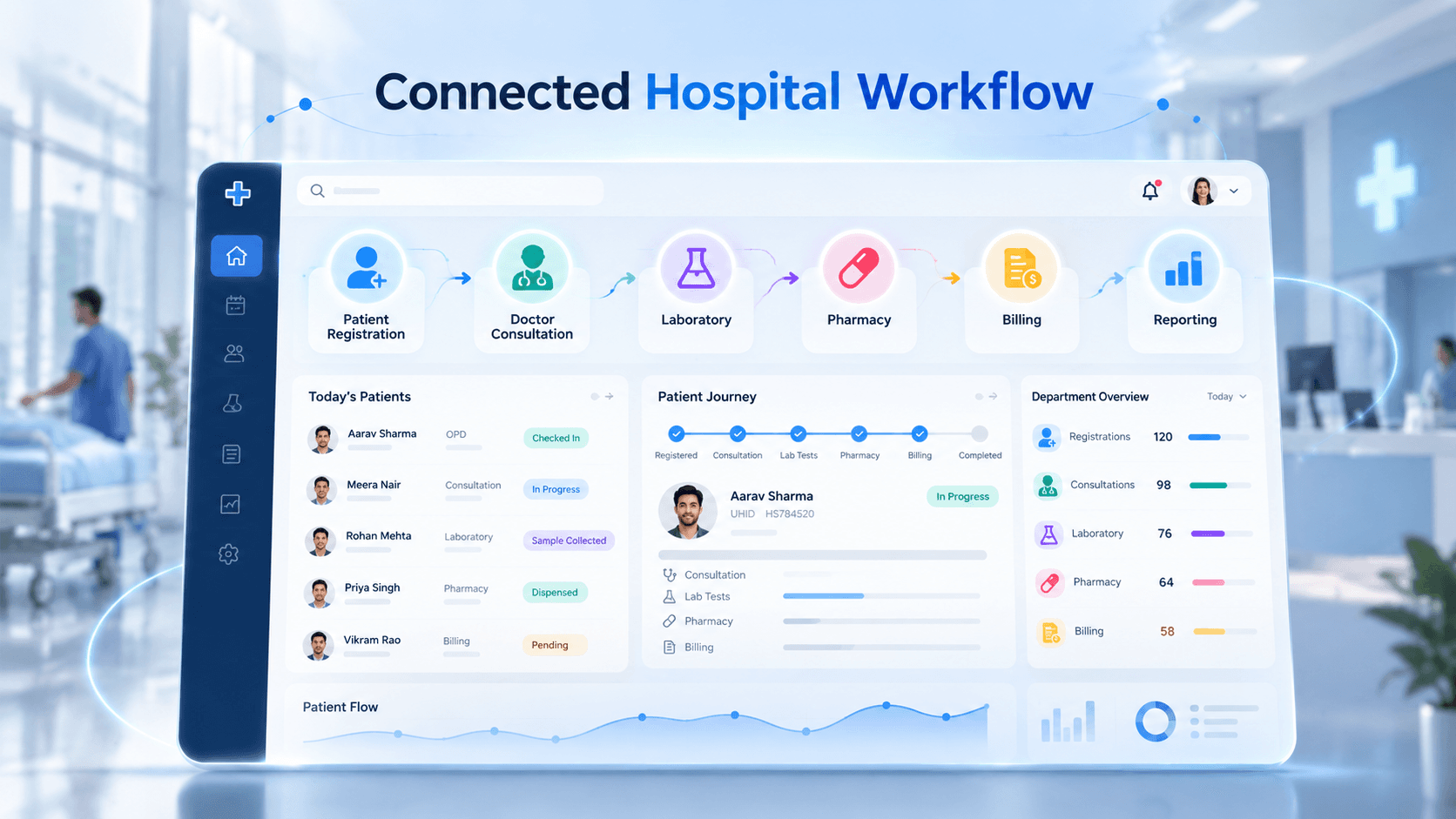
The platform connects the full virtual patient journey:
Patient creates an account
↓
Patient searches for a doctor or specialty
↓
Patient selects an available appointment slot
↓
Patient completes consultation payment
↓
The system confirms the appointment
↓
Patient and doctor receive reminders
↓
Doctor reviews patient information
↓
Patient joins the secure video consultation
↓
Doctor enters consultation notes
↓
Doctor generates and approves the prescription
↓
Prescription becomes available in the patient portal
↓
Follow-up appointment or instructions are scheduled
This connected journey is what differentiates a healthcare platform from a basic video-calling solution.
Explore our detailed platform case study:
Telemedicine & Online Video Consultation Platform for Digital Healthcare
Our Experience Building DOC247
Our healthcare portfolio also includes the development of the scalable DOC247 telemedicine platform.
The solution included:
- Doctor appointment booking
- Smart round-robin doctor allocation
- Virtual waiting room
- Video and voice consultation integration
- Location-based healthcare discovery
- Real-time clinic and walk-in queue management
- Patient and provider workflows
- Mobile notifications
- Web, Android, and iOS experiences
The round-robin workflow distributed appointments among available practitioners, while the virtual waiting room allowed patients to wait for the next provider when immediate availability was limited.
Read the complete project case study:
How We Built a Scalable Telemedicine Video Consultation Platform — DOC247
Watch the platform demonstration:
Telemedicine and Digital Healthcare Platform Video Demo
Security and Compliance Considerations
Security and privacy must be considered during product planning—not added after development.
The exact requirements depend on the country, healthcare model, data handled, and organizations operating the platform.
A telemedicine architecture may require:
- Encryption in transit and at rest
- Role-based access control
- Strong authentication
- Secure session management
- Audit logs
- Data retention controls
- Patient consent management
- Secure file storage
- Backup and recovery
- Restricted administrative access
- Third-party vendor assessment
- Incident monitoring
For US healthcare use cases, the platform may need to support HIPAA-aligned privacy and security requirements where applicable.
For the UK and European markets, personal and health-data processing must be assessed against GDPR and applicable national healthcare requirements.
Indian implementations should consider applicable telemedicine guidelines, privacy obligations, digital health standards, and organizational policies.
Compliance should always be validated with qualified legal, clinical, security, and regulatory professionals for the target market.
Building the MVP for Future Expansion
An MVP should be focused, but it should not create a technical dead end.
The platform should be designed so that new capabilities can be added progressively.
Phase Two Opportunities
- Native Android and iOS applications
- Healthcare CRM
- WhatsApp, SMS, and email automation
- HMS or EMR integration
- Pharmacy integration
- Laboratory integration
- Insurance workflows
- Multi-location healthcare management
- Advanced analytics
- Multilingual patient experience
Phase Three Opportunities
- Remote patient monitoring
- Connected medical devices
- Chronic-care programs
- Asynchronous consultations
- Health-risk assessments
- AI-assisted documentation
- Predictive operational analytics
- Personalized patient engagement
AI Opportunities in Telemedicine
Once the core workflow is stable and validated, AI can help reduce administrative effort and improve digital-care experiences.
AI for Patients
- Guided symptom intake
- Doctor or specialty discovery
- Appointment assistance
- Frequently asked question support
- Multilingual patient guidance
- Automated follow-up reminders
AI for Doctors
- Patient-history summarization
- Voice-to-consultation notes
- Structured visit-note drafting
- Follow-up instruction generation
- Consultation summary creation
- Prescription-draft assistance
AI should operate as an assistance layer.
Clinical outputs must remain reviewable, editable, auditable, and subject to approval by qualified healthcare professionals.
Telemedicine as Part of a Connected Healthcare Ecosystem
The strongest long-term opportunity is not a standalone telemedicine application.
It is an integrated digital healthcare ecosystem where:
- The healthcare website generates patient inquiries
- Online scheduling converts inquiries into appointments
- Telemedicine expands access and revenue
- Healthcare CRM manages reminders and retention
- HMS connects clinical and operational workflows
- Patient apps improve engagement
- AI reduces repetitive documentation
- Management dashboards provide performance visibility
Explore our complete healthcare ecosystem:
AI-Powered Digital Healthcare Platform for Hospitals
Explore our broader development capabilities:
Healthcare Software Development Services
For a detailed feature breakdown, read:
Telemedicine Software & Video Consultation Platform for Hospitals
Turn Your Telemedicine Idea Into a Secure Care Platform
Who Should Build a Telemedicine MVP?
A telemedicine MVP can be suitable for:
- Hospitals launching online OPD
- Multi-specialty clinics
- Healthcare startups
- Doctor networks
- Mental-health providers
- Chronic-care providers
- Diagnostic organizations
- Home-healthcare businesses
- Medical tourism providers
- Corporate healthcare programs
- Healthcare marketplace operators
- International care networks
The correct MVP scope depends on the medical specialty, target geography, patient audience, consultation model, integrations, and revenue strategy.
Why Choose Murmu Software Infotech?
Murmu Software Infotech helps healthcare organizations move from initial product planning to working MVP and long-term platform expansion.
Our healthcare capabilities include:
- Telemedicine platform development
- Hospital Management Systems
- OPD and queue management
- Healthcare CRM
- Patient and doctor mobile apps
- Lab Management Systems
- AI assistants for doctors
- AI hospital automation
- Healthcare website platforms
- Third-party healthcare integrations
- Cloud deployment and ongoing support
Our approach focuses on practical workflows, usability for doctors, patient convenience, scalable architecture, and measurable business value.
Frequently Asked Questions
What features should a telemedicine MVP include?
A practical MVP should include patient registration, doctor profiles, appointment scheduling, availability management, secure video consultation, payments, consultation notes, digital prescriptions, patient access, and an administrative dashboard.
How long does telemedicine MVP development take?
The timeline depends on the feature scope, platforms, integrations, video provider, compliance requirements, and approval process. A tightly defined MVP can be delivered much faster than a full healthcare ecosystem, while advanced integrations and regulatory requirements increase the timeline.
Should video consultation be built from scratch?
In many MVPs, integrating a proven video infrastructure is more practical than developing the entire real-time communication layer from scratch. The final decision should consider security, scalability, data location, cost, customization, and target-market requirements.
Can the platform integrate with an existing HMS or EHR?
Yes. A telemedicine platform can integrate with existing hospital systems through APIs, HL7/FHIR-based interfaces, or custom connectors, depending on the capabilities of the existing systems.
Can AI be added to a telemedicine MVP?
Yes, but AI should be introduced where it provides measurable value without complicating the initial workflow. Patient-intake assistance, history summarization, documentation drafting, and automated follow-ups are practical areas for later phases.
Can telemedicine generate revenue for hospitals?
Telemedicine can support additional paid consultations, specialist access, follow-up services, chronic-care programs, second opinions, and remote patient engagement. The commercial outcome depends on patient demand, pricing, doctor availability, marketing, and operational execution.
Final Takeaway
Successful telemedicine video consultation platform MVP development is not about adding the largest number of features.
It is about creating one complete, secure, and convenient digital-care journey:
The right patient connects with the right doctor, completes the consultation, receives the required documentation, and remains connected for follow-up care.
Once that journey is validated, the MVP can evolve into a broader healthcare platform with HMS integration, mobile applications, healthcare CRM, remote monitoring, analytics, patient engagement, and AI-assisted workflows.
Planning a Telemedicine Platform?
Murmu Software Infotech can help you define the MVP scope, map patient and doctor workflows, select the technology architecture, integrate secure video consultations, and prepare the platform for future growth.
Schedule a 15–20 minute Telemedicine MVP Strategy Discussion or request a live platform demo.
Frequently Asked Questions
What is a telemedicine video consultation platform MVP?
A telemedicine video consultation platform MVP is the first functional version of a virtual healthcare product. It validates the core patient journey, including registration, doctor discovery, appointment booking, payments, secure video consultation, clinical documentation, digital prescriptions, patient access and administration.
What features should a telemedicine MVP include?
A practical telemedicine MVP should include secure authentication, patient and doctor profiles, doctor availability, appointment scheduling, online payments, appointment-based video consultations, consultation notes, digital prescriptions, a patient portal and an administration dashboard.
How long does telemedicine MVP development take?
Telemedicine MVP development time depends on the feature scope, platforms, integrations, video infrastructure, security requirements and approval process. A tightly defined MVP can be developed much faster than a complete healthcare ecosystem, while mobile apps, complex integrations and regulatory requirements can increase the timeline.
How much does it cost to develop a telemedicine app or MVP?
Telemedicine MVP development cost depends on the number of user roles, web or mobile platforms, video technology, payment systems, third-party integrations, cloud infrastructure, security controls and customization. A detailed requirement and discovery assessment is the best way to estimate an accurate project cost.
Should a telemedicine platform build video consultation from scratch?
For many MVPs, integrating proven real-time video infrastructure is more practical than building the complete communication layer from scratch. The right approach depends on security, scalability, supported countries, data requirements, operating costs, customization and healthcare compliance needs.
Can a telemedicine platform integrate with an existing HMS, EMR or EHR?
Yes. Telemedicine software can integrate with Hospital Management Systems, EMR and EHR platforms through APIs, custom middleware or supported healthcare interoperability standards such as HL7 and FHIR, depending on the capabilities of the existing systems.
How does a telemedicine platform protect patient data?
A telemedicine platform should be designed with appropriate security controls such as encryption, role-based access, strong authentication, secure sessions, audit logs, consent management, secure storage, backups, access restrictions and vendor assessments. Final compliance requirements depend on the target country, healthcare model and applicable regulations.
Can AI be added to a telemedicine platform?
Yes. AI can support patient intake, doctor or specialty discovery, medical-history summarization, voice-to-notes, consultation documentation drafts, follow-up assistance and patient guidance. AI should assist healthcare workflows while keeping clinical decisions reviewable and subject to qualified professional approval.
Can telemedicine generate additional revenue for hospitals and clinics?
Telemedicine can support paid online consultations, specialist access, follow-up services, second opinions, chronic-care programs and remote patient engagement. Revenue potential depends on patient demand, consultation pricing, doctor availability, patient acquisition and operational execution.
What happens after a telemedicine MVP is launched?
After launch, healthcare organizations can analyze booking conversion, completed consultations, no-show rates, doctor utilization, patient retention, waiting time and feedback. These insights can guide future development such as mobile apps, healthcare CRM, HMS integration, pharmacy and laboratory connectivity, remote monitoring and AI-assisted workflows.