Introducing Content Mode in Page Builder: Faster, Focused Content Creation
In This Article
Creating and managing content at scale often comes with a trade-off: powerful tools, but too much navigation. Jumping through folders, expanding trees, and switching between editors can slow even experienced authors down.
That’s why Page Builder now introduces Content Mode—a streamlined, full-screen experience designed to help you create, find, and edit content faster, without the overhead of traditional navigation.
What is Content Mode?
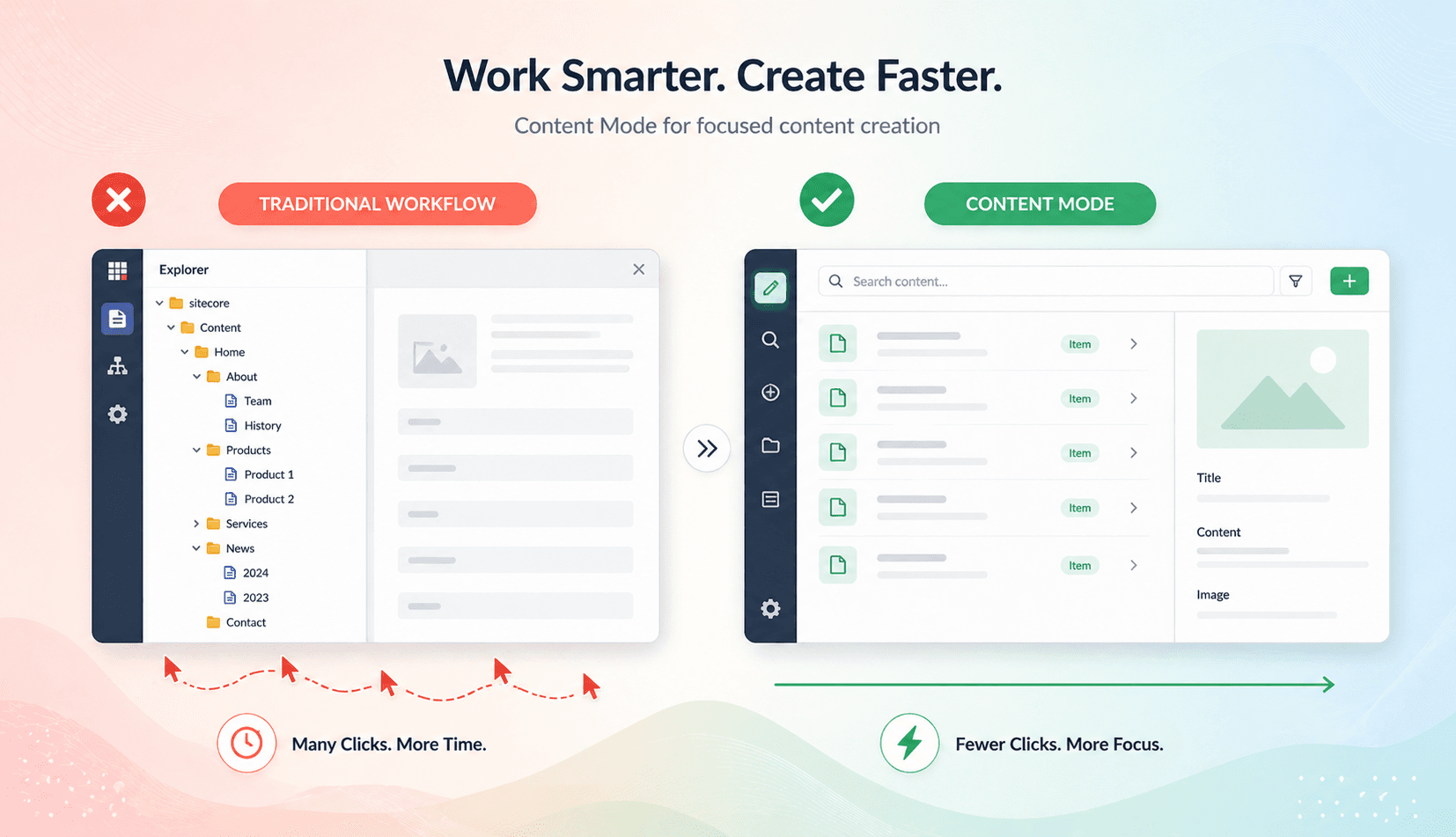
Content Mode is a focused workspace inside Page Builder that removes the need to browse through the full content tree in Explorer or Content Editor.
Instead, it gives you a direct, task-oriented way to:
- Create new content
- Find existing items
- Edit fields quickly
All within a clean, distraction-free interface.
Why Content Mode Matters
Accelerate Content Creation with Zero Distractions
When you’re working on large sites or complex content structures, finding the right item can take time. And when you already know what you’re looking for, navigating through multiple levels of a tree becomes unnecessary friction.
Content Mode flips that experience. It’s built for speed and intent—so you can actimmediately instead of navigating first .
Key Capabilities
1. Faster Content Creation with Guided Options
Content Mode simplifies creation by showing only valid and relevant templates when you insert new items.
- Create pages, folders, or components quickly
- Avoid mistakes with template filtering
- Reduce decision fatigue with guided choices
This ensures that what you create is always aligned with your content structure.
2. Flat, Scalable Search Experience
Instead of digging through nested folders, you can search across content in a flat, paginated list.
- Quickly locate items across large content repositories
- Handle complex structures without performance slowdowns
- Open items instantly in full view
This is especially useful for teams managing thousands of content items.
3. Work Without the Tree
Content Mode is ideal when you already know your goal:
- Creating a specific page
- Updating a known item
- Jumping directly to content
You don’t need to “browse to think.” You can executeimmediately , reducing clicks and saving time.
4. Field-Level Search and Editing
Finding a specific field inside a content item can be just as time-consuming as finding the item itself.
Content Mode solves this with:
- In-item search to locate fields instantly
- A full-screen field editor for focused updates
This eliminates scrolling and distractions, letting you edit exactly what you need.
Designed for Scale
Content Mode isn’t just about convenience—it’s built for high-volume content operations.
Whether you’re:
- Managing large websites
- Supporting multiple campaigns
- Working across teams and regions
You’ll benefit from:
- Fewer clicks
- Faster workflows
- Less context switching
A Better Authoring Experience
By combining creation, search, and editing into a single, focused interface, Content Mode helps authors stay in flow.
No more switching between tools.
No more digging through trees.
Just faster, more intuitive content work.
The Bottom Line
Content Mode transforms Page Builder into a speed-first content workspace.
It helps you:
- Create content with confidence
- Find what you need instantly
- Edit without distractions
So you can spend less time navigating—and more time delivering great digital experiences.
Thank You!
Frequently Asked Questions
What is Introducing Content Mode in Page Builder: Faster, Focused Content Creation ?
Discover Content Mode in Sitecore Page Builder. Create, find, and edit content faster with a streamlined interface, flat search, and distraction-free workflow.