Case Study OPD Token & Queue Management System for Hospitals
In This Article
- The Hospital OPD Challenge
- Hospital Workflow Diagram: From Registration to Exit
- OPD to Billing Workflow
- Doctor, Patient & Admin Roles
- Patient Experience
- Doctor Workflow
- Hospital Admin & Reception
- Core OPD Queue Management Features
- Business Impact
- Healthcare Software Development
- See the OPD System in Action
- What is an OPD token and queue management system?
- How does an OPD queue system reduce waiting confusion?
- Can OPD queue software integrate with hospital billing?
- Can the system manage multiple doctors and departments?
- Can patients receive token updates on WhatsApp or SMS?
- Can OPD software be integrated with a larger hospital system?
- Conclusion
Managing a busy hospital OPD is not simply about issuing tokens. Hospitals must coordinate patient registration, appointments, doctor availability, consultation queues, billing, laboratory visits, pharmacy movement, and patient communication often while handling hundreds of patients throughout the day.
Manual registers and disconnected systems can create long waiting times, crowded reception areas, unclear queue status, and unnecessary coordination between patients, doctors, and hospital staff.
To address these challenges, Murmu Software Infotech developed a digital OPD Token & Queue Management System designed to create a structured, real-time patient flow from registration to consultation and billing.
For hospitals planning a dedicated queue solution, explore our OPD Queue Management Software.
The Hospital OPD Challenge
As patient volume increases, manual queue management becomes difficult to scale. Reception teams may need to answer repeated questions about token numbers and doctor availability, while patients have limited visibility into how long they need to wait.
The objective was to build an OPD management system that could:
- Generate digital tokens automatically
- Maintain doctor-wise and department-wise queues
- Show real-time token status
- Track patient waiting time
- Coordinate reception, doctors, and administrators
- Send SMS or WhatsApp queue notifications
- Connect consultation with downstream hospital workflows
The result is a centralized system that gives every participant a clearer view of the patient journey.
Transform Your Hospital OPD Workflow
Digitize patient queues, reduce waiting confusion, streamline doctor consultations, and connect OPD workflows with billing, lab, pharmacy, and notifications.
Hospital Workflow Diagram: From Registration to Exit
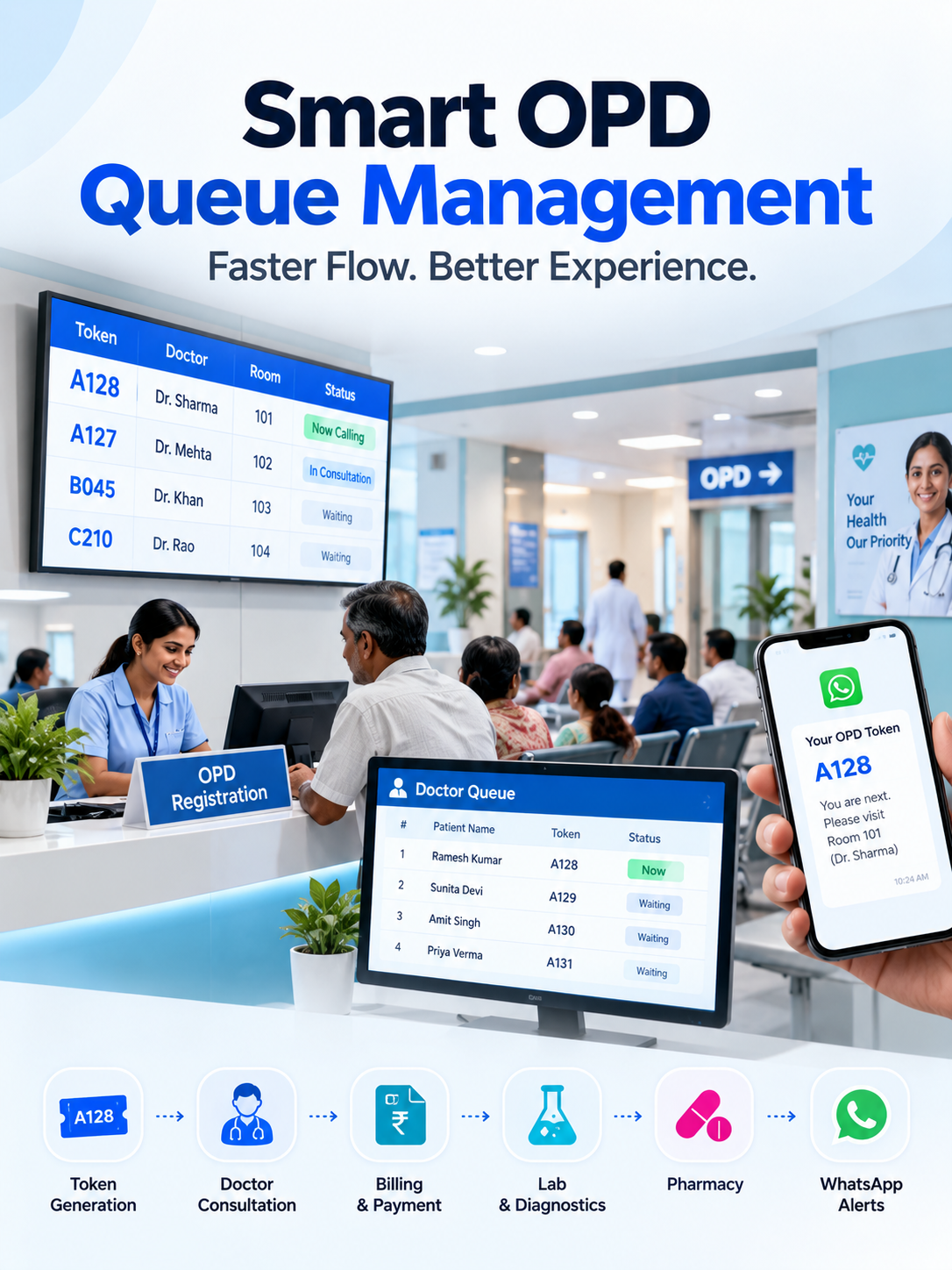
A connected OPD workflow can be structured as:
Patient Registration
↓
Appointment / Walk-In Verification
↓
Digital Token Generation
↓
Department & Doctor Assignment
↓
Live Queue & Waiting-Time Update
↓
Token Display / Patient Notification
↓
Doctor Consultation
↓
Prescription / Lab / Diagnostic Request
↓
Billing & Payment
↓
Pharmacy / Lab / Follow-Up
↓
Visit Completed
Instead of treating the queue as an isolated feature, this workflow connects OPD movement with the wider hospital journey.
Hospitals planning broader digitization can also explore our Healthcare Software Development Services for connected patient, clinical, administrative, and operational systems.
Transform Your Hospital OPD Workflow
OPD to Billing Workflow
The system can connect patient movement directly with billing.
When a patient registers, a digital token is assigned according to the selected department and doctor. The queue updates in real time as consultations progress.
Once the doctor completes the consultation, the patient's status can move to the appropriate next stage billing, laboratory, pharmacy, diagnostics, follow-up, or exit.
A typical flow becomes:
Registration → Token → Doctor Queue → Consultation → Services Ordered → Billing → Payment → Lab/Pharmacy → Follow-Up
This reduces repeated data entry and gives staff better visibility into where a patient is within the hospital journey.
For hospitals that want to connect OPD with finance, inventory, departments, administration, and other operational modules, a broader healthcare ERP architecture can extend this workflow.
Doctor, Patient & Admin Roles
Patient Experience
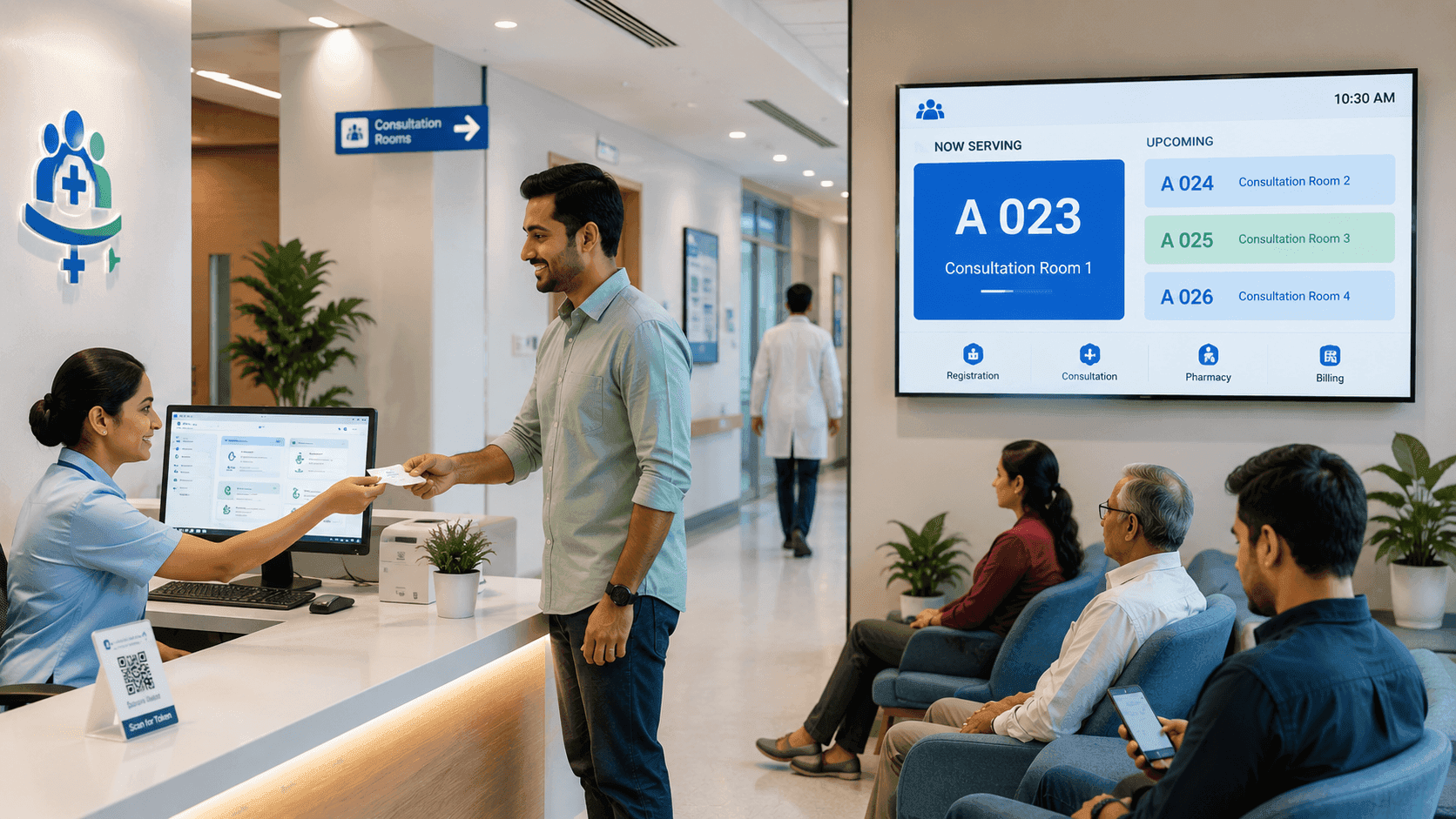
Patients receive a digital token and can view or receive updates about their queue position. Display screens and notifications reduce the need to repeatedly approach reception for status updates.
Patients benefit from:
- Clear token numbers
- Better queue visibility
- Waiting-time updates
- SMS or WhatsApp alerts
- More organized movement between departments
Doctor Workflow
Doctors receive a dedicated consultation queue showing patients waiting for consultation and current token status.
The doctor workflow can include:
View Queue → Call Next Patient → Start Consultation → Complete Consultation → Send Patient to Next Service
For healthcare organizations exploring intelligent clinical workflows, our AI for Doctors Software Development services can extend doctor-facing systems with AI-assisted documentation, workflow intelligence, and connected clinical tools.
Hospital Admin & Reception
Reception and administration teams receive centralized visibility into:
- Active OPD queues
- Doctor availability
- Department-wise patient load
- Token status
- Appointment and walk-in patients
- Waiting times
- Completed consultations
- Operational bottlenecks
This allows staff to coordinate patient movement without depending on disconnected registers or verbal updates.
Core OPD Queue Management Features
The platform brings together digital token generation, doctor-wise queues, department queues, priority tokens, waiting-time tracking, queue display screens, appointment-to-token conversion, SMS/WhatsApp notifications, reception dashboards, and real-time synchronization.
These capabilities help hospitals create a more predictable OPD experience while improving visibility for staff and patients.
The same workflow can also connect with Telemedicine App Development Services when hospitals want to support both physical OPD consultations and remote patient care.
Business Impact
A digital OPD queue management system can help hospitals reduce manual queue handling, improve patient-flow visibility, reduce front-desk coordination, organize doctor queues, and create a more transparent waiting experience.
More importantly, the platform creates a digital foundation that can later connect with HMS, billing, laboratory, pharmacy, telemedicine, patient applications, analytics, and AI-enabled healthcare workflows.
Healthcare Software Development
Building a Connected Digital Hospital?
Murmu Software Infotech develops custom healthcare platforms for hospitals, clinics, diagnostic centers, and healthcare businesses, including OPD systems, hospital management software, patient portals, telemedicine platforms, healthcare AI solutions, integrations, dashboards, and mobile applications.
Our focus is on connecting patient journeys with practical hospital workflows rather than creating isolated software modules.
Build Smarter Patient Queue Systems
See the OPD System in Action
Want to understand how digital token management can fit your hospital's existing OPD workflow?
Schedule a Demo to discuss patient volume, departments, doctor queues, billing flow, notifications, integrations, and implementation requirements.
What is an OPD token and queue management system?
An OPD queue management system digitally organizes patients from registration through doctor consultation using tokens, doctor-wise queues, live status updates, displays, and notifications.
How does an OPD queue system reduce waiting confusion?
Patients and staff receive clearer visibility into token position, queue progress, doctor availability, and consultation status instead of relying entirely on manual announcements or reception enquiries.
Can OPD queue software integrate with hospital billing?
Yes. The workflow can connect consultation completion with billing, payments, laboratory, pharmacy, diagnostics, and follow-up modules depending on the hospital's software architecture.
Can the system manage multiple doctors and departments?
Yes. Doctor-specific and department-specific queues allow hospitals to organize patient flow across multiple specialties and consultation rooms.
Can patients receive token updates on WhatsApp or SMS?
The system can support digital notifications for token confirmation, queue progress, reminders, and consultation-related updates.
Can OPD software be integrated with a larger hospital system?
Yes. OPD queue management can become part of a broader healthcare platform connecting registration, appointments, billing, laboratory, pharmacy, telemedicine, patient engagement, analytics, and other hospital workflows.
Conclusion
An effective OPD Token & Queue Management System is more than a digital token generator. It creates a connected patient-flow layer between registration, doctors, billing, diagnostics, pharmacy, and hospital administration.
By giving patients, doctors, reception teams, and administrators real-time workflow visibility, hospitals can build a more organized and scalable OPD experience.
Smart queues. Connected workflows. Better patient journeys.
Frequently Asked Questions
What is an OPD token and queue management system?
An OPD token and queue management system digitally organizes patient movement from registration to consultation. It can generate tokens, assign patients to doctor or department queues, show live queue status, track waiting time and coordinate reception, doctors and hospital staff.
How does an OPD queue management system work in a hospital?
The workflow typically starts with patient registration, followed by digital token generation, department and doctor assignment, live queue updates, patient notifications, doctor consultation and movement to billing, laboratory, pharmacy or exit.
What are the main features of hospital queue management software?
Key features include digital token generation, doctor-wise queues, department-wise queues, waiting-time tracking, reception dashboards, queue display screens, SMS or WhatsApp notifications, appointment-to-token conversion and real-time queue synchronization.
How can OPD queue software help reduce patient waiting confusion?
OPD queue software gives patients and staff visibility into token numbers, queue position, doctor availability and consultation progress. This reduces dependence on manual announcements and repeated reception enquiries.
Can OPD queue software manage multiple doctors and departments?
Yes. The system can maintain doctor-specific and department-specific queues, helping multi-specialty hospitals organize patient flow and monitor consultation queues across different departments.
Can patients receive OPD token updates through WhatsApp or SMS?
Yes. The platform supports digital notifications such as token confirmation, queue alerts, consultation reminders and WhatsApp-based updates to improve patient communication.
Can appointments automatically generate OPD tokens?
Yes. An appointment-to-token workflow can convert scheduled appointments into digital OPD tokens and place patients into the appropriate consultation flow.
How does an OPD queue management system help doctors?
Doctors can view a dedicated consultation queue, see active patients, monitor consultation status and progress through tokens in an organized sequence, reducing interruptions and improving workflow visibility.
Can an OPD queue management system connect with billing, lab and pharmacy workflows?
The patient workflow can continue from consultation to billing, laboratory, pharmacy or exit. Broader integration with hospital management, billing and other healthcare systems can be implemented based on the hospital's architecture and requirements.
Is OPD queue management software suitable for hospitals and clinics?
Yes. Digital queue management can support hospitals, clinics and multi-specialty healthcare facilities that need structured patient registration, token management, consultation queues, waiting-time visibility and better coordination between staff.