Complete step-by-step guide to create a Sitecore JSS project with Sitecore XPShape
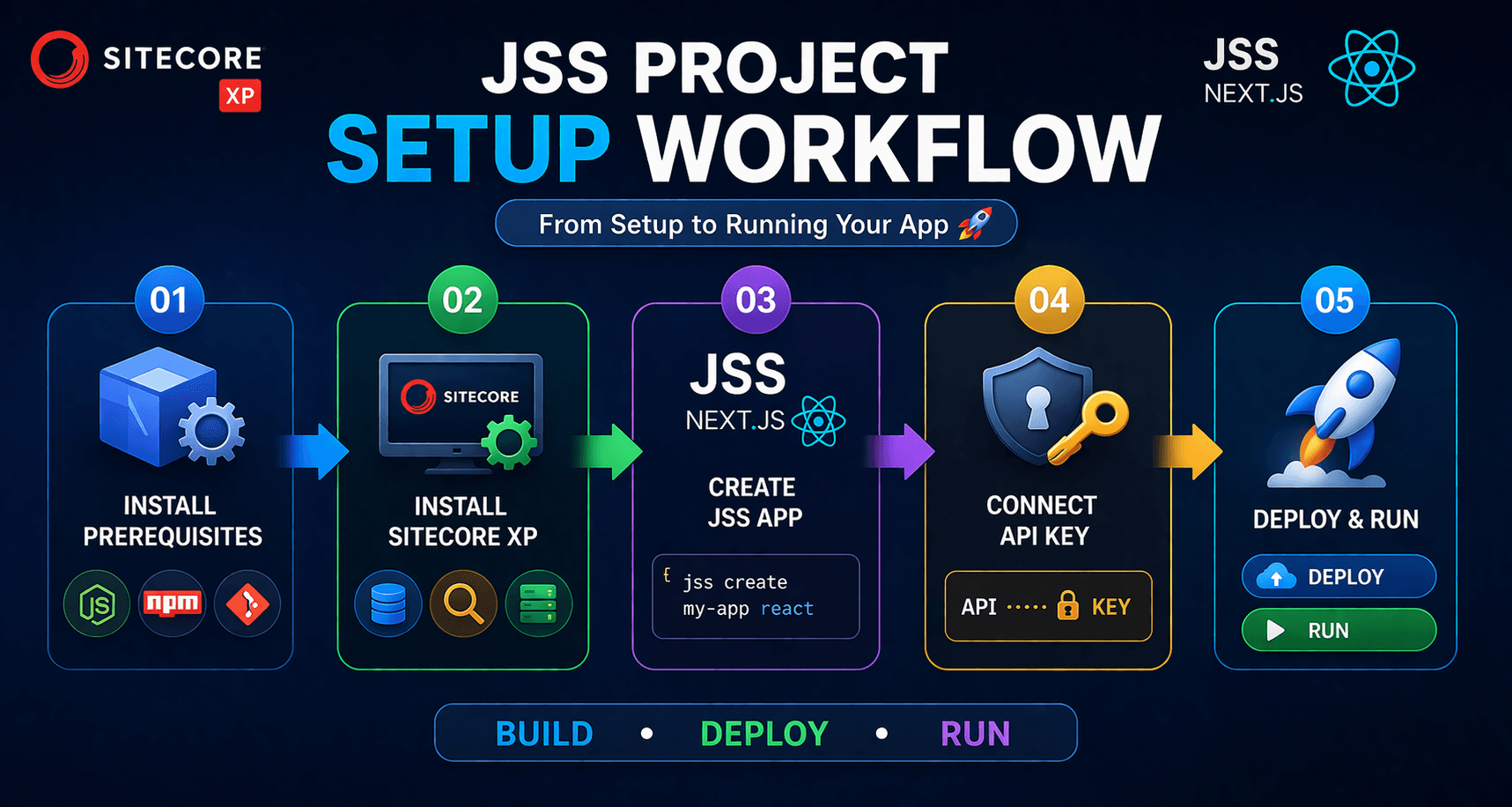
In This Article
- 1. Prerequisites (Install Everything First)
- 2. Install Sitecore XP (Local Instance)
- 3. Install Sitecore JSS CLI
- 4. Create a New JSS App
- 5. Connect JSS App to Sitecore XP
- 6. Deploy JSS App to Sitecore
- 7. Run JSS App in Connected Mode
- 8. Test the Integration
- 9. Create First Component
- 10. Build for Production
- 11. Optional: Headless Services Setup
- Architecture Overview
Here’s a complete step-by-step guide to create a Sitecore JSS project with Sitecore XP, starting from software installation → project setup → deployment → running.
1. Prerequisites (Install Everything First)
Required Software
1. Development Tools
- Install Node.js (LTS version recommended, e.g. 18+)
- Install npm (comes with Node)
- Install Git
- Install Visual Studio Code
2. Sitecore XP Requirements
Install:
- Microsoft SQL Server
- Solr
- IIS
- .NET SDK (.NET Framework 4.8 + .NET Core if required)
- Dotnet runtime (dotnet-runtime-10.0.5-win-x64)
- Dotnet hosting (dotnet-hosting-10.0.5-win or dotnet-hosting-2.1.30-win)
- Aspnet core runtime (aspnetcore-runtime-2.1.30-win-x64
3. Sitecore Installation Tools
- Install Sitecore Install Framework (SIF)
- Install Sitecore PowerShell Extensions (SPE)

Build Your JSS Foundation
Launch, connect, and scale your Sitecore JSS project with expert guidance from local setup to production-ready headless development.
2. Install Sitecore XP (Local Instance)
Step 1: Download Sitecore
- Get Sitecore XP package from Sitecore Developer Portal (Sitecore 10.4.1 rev. 012149 (WDP XP0 packages))
- Get Sitecore Headless from Sitecore Developer Portal(Sitecore Headless Services Server XP 22.0.11) and install in sitecore.
Step 2: Prepare Solr
- Download and extract Solr
Run:
- solr start
Create cores:
.\New-SolrCore.ps1 -SolrUrl "https://localhost:8983/solr" -CorePrefix "sitecore"
Step 3: Install Sitecore using SIF
- Open PowerShell as Administrator
Run installation script:
- Install-SitecoreConfiguration `
-Path .\XP0-SingleDeveloper.ps1 `
-SqlServer "localhost" `
-SqlAdminUser "sa" `
-SqlAdminPassword "yourpassword" `
-SolrUrl "https://localhost:8983/solr" `
-SolrRoot "C:\solr" `
-SitecoreAdminPassword "b"
Step 4: Verify Installation
Open:
Login: admin / b
3. Install Sitecore JSS CLI
Modernize Your Sitecore Stack for Speed, Scalability & Growth
Run:
- npm install -g @sitecore-jss/sitecore-jss-cli
Verify:
- jss --version
4. Create a New JSS App
Run:
- jss create my-first-jss-app react
Choose:
- Framework: React (recommended)
Go into project:
- cd my-first-jss-app
5. Connect JSS App to Sitecore XP
Step 1: Set up API Key in Sitecore
- Login to Sitecore
Go to:
- /sitecore/system/Settings/Services/API Keys
- Create new API key
Assign:
- Site: your site
- Allowed Controllers: *
Step 2: Configure JSS App
Edit:
/scjssconfig.json
Add:
{
"sitecore": {
"instancePath": "C:\\inetpub\\wwwroot\\your-sitecore",
"apiKey": "YOUR-API-KEY",
"layoutServiceHost": "https://your-sitecore.local"
}
}
6. Deploy JSS App to Sitecore
Run:
- jss deploy app -c -d
This will:
- Push templates
- Push renderings
- Sync content
7. Run JSS App in Connected Mode
- jss start:connected
App runs at:
http://localhost:3000
- Connected to Sitecore backend.
8. Test the Integration
- Open Sitecore Experience Editor
- Navigate to your JSS route
- Edit components live
9. Create First Component
- jss scaffold component HelloWorld
Then deploy again:
- jss deploy app
10. Build for Production
jss build
11. Optional: Headless Services Setup
Ensure Sitecore XP includes:
- Sitecore Headless Services module installed
Common Issues & Fixes
1. Solr not working
- Check SSL
- Ensure cores created correctly
2. API errors
- Verify API key
- Check CORS settings
3. Deployment fails
- Run PowerShell as admin
- Ensure correct instance path
Architecture Overview
- Frontend: React JSS App
- Backend: Sitecore XP
- Rendering: Layout Service (JSON)
- Search: Solr
- Hosting: IIS
Summary Flow
- Install prerequisites
- Install Sitecore XP
- Install JSS CLI
- Create JSS app
- Connect to Sitecore
- Deploy
- Run connected mode
Thank You!
Frequently Asked Questions
What is Sitecore JSS?
Sitecore JavaScript Services (JSS) is a development framework that enables developers to build Sitecore applications using JavaScript frameworks such as React and connect them to Sitecore through headless APIs and services.
Can I create a Sitecore JSS project with Sitecore XP?
Yes. A Sitecore JSS application can be connected to a Sitecore XP instance when the required Sitecore Headless Services components are installed and configured.
What are the prerequisites for creating a Sitecore JSS project?
You typically need Node.js, npm, a supported development environment, Sitecore XP, Sitecore Headless Services, the appropriate JSS tooling, and supporting infrastructure required by your Sitecore version.
How do I create a new Sitecore JSS project?
You can create a JSS application using Sitecore's JSS project initialization tooling, select a supported framework such as React, configure the project, and then connect it to a compatible Sitecore instance.
Does Sitecore JSS support React?
Yes. Sitecore JSS supports React and provides tooling for creating headless React applications that retrieve Sitecore content and layout data.
What is connected mode in Sitecore JSS?
Connected mode allows a local JSS application to retrieve content, layout data, and component information from a running Sitecore instance during development.
Do I need Sitecore Headless Services for JSS?
To develop against Sitecore data and run a JSS application connected to a Sitecore instance, the required Sitecore Headless Services functionality must be available and properly configured.
How does a Sitecore JSS application connect to Sitecore XP?
A JSS application connects to Sitecore XP through Sitecore APIs and services, including the Layout Service. The application is configured with the appropriate Sitecore endpoint, application settings, and authentication or API access details.
What is the difference between disconnected and connected mode in Sitecore JSS?
Disconnected mode allows developers to work with local mock data without a Sitecore instance, while connected mode retrieves content and layout data from a running Sitecore environment.
How do I deploy a Sitecore JSS application?
Deployment depends on the JSS and Sitecore version, but generally involves connecting the application to Sitecore, deploying application artifacts and configuration, and validating the application against the Sitecore environment.