How to Fetch All Page Items in Sitecore Using GraphQL
In This Article
- Understanding the Basics
- Approach 1: Fetch Pages by Template
- Approach 2: Fetch Pages by Content Path
- Approach 3: Fetch Pages with Fields
- Approach 4: Using Children (Hierarchical Fetch)
- Best Practices
- 1. Prefer Template-Based Queries
- 2. Always Filter by Language
- 3. Limit Results for Performance
- 4. Use Index-Friendly Fields
- Common Pitfalls
- Conclusion
In modern Sitecore implementations—especially with Sitecore Content Hub /Headless Services or Experience Edge—GraphQL has become the preferred way to query content. One common requirement is fetching all “page” items from Sitecore.
Since Sitecore doesn’t have a built-in concept of “pages,” we typically define pages using templates or content paths.
In this blog, we’ll walk through how to retrieve all page items using GraphQL queries.
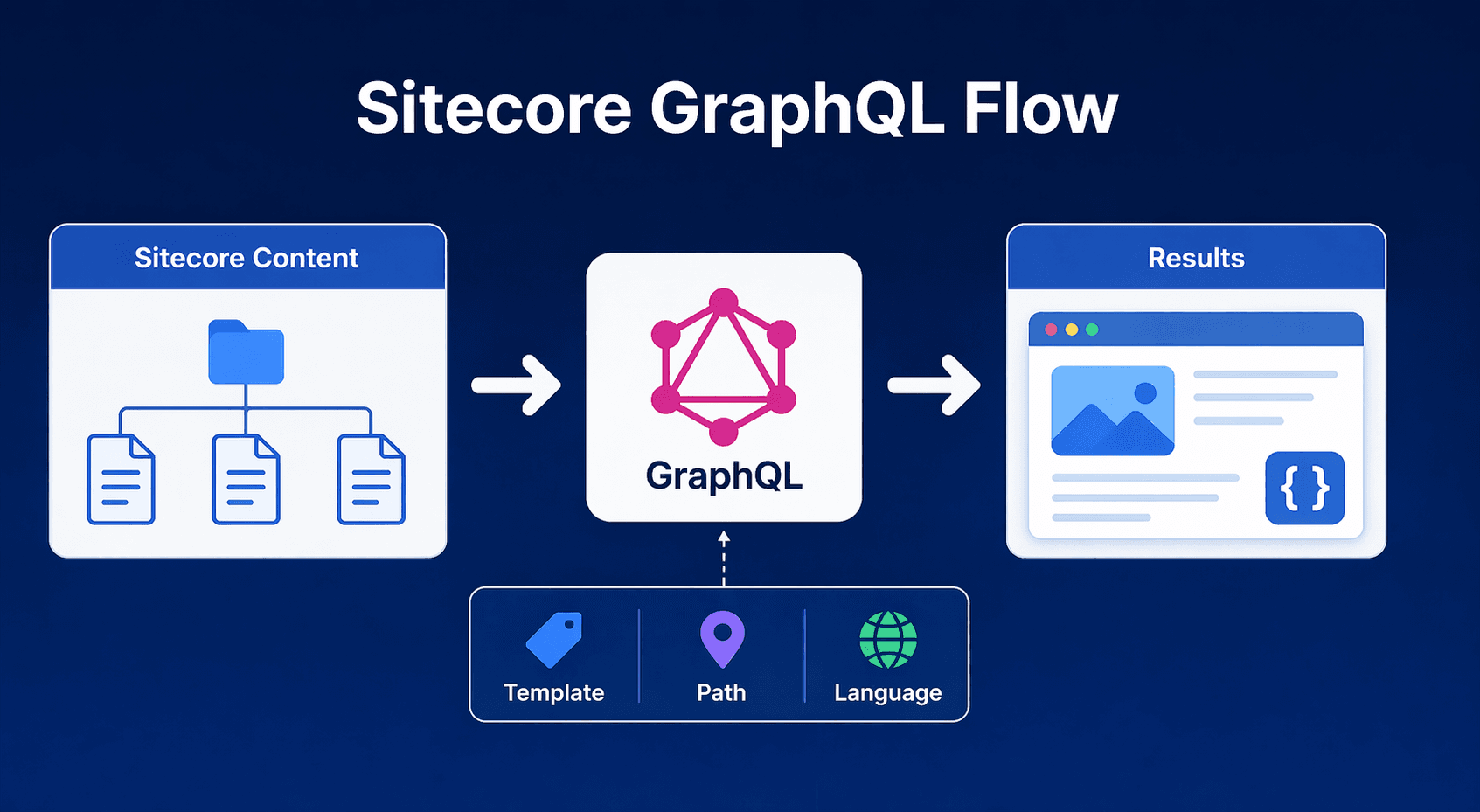
Understanding the Basics
Before jumping into queries, it’s important to understand:
- Pages = Items based on a specific template
- GraphQL queries in Sitecore usually rely on:
- _templates → to filter by template
- _path → to filter by content tree location
- _language → for multilingual content

Power Your Content With GraphQL
Fetch Sitecore pages efficiently with flexible GraphQL queries, smart filtering, pagination, and scalable data delivery for modern headless applications.
Approach 1: Fetch Pages by Template
This is the most reliable and recommended approach.
Every page in Sitecore is created from a template (e.g., Article Page, Landing Page). You can query all items using that template.
Example Query
query GetAllPages {

  search(

    where: {

      AND: [

        {

          name: "_templates"

          value: "{YOUR-PAGE-TEMPLATE-ID}"

          operator: CONTAINS

        }

      ]

    }

  ) {

    results {

      id

      name

      path

      url {

        path

      }

    }

  }

}
How it works:
- _templates filters items by template ID
- CONTAINS ensures child templates are also included
- Returns basic page details like name, path, and URL
Approach 2: Fetch Pages by Content Path
Build Faster, Scalable Headless Experiences with Sitecore
If all your pages are stored under a specific node (e.g., /sitecore/content/Home), you can filter by path.
Example Query
query GetPagesByPath {

  search(

    where: {

      AND: [

        {

          name: "_path"

          value: "/sitecore/content/Home"

          operator: CONTAINS

        }

      ]

    }

  ) {

    results {

      id

      name

      path

      url {

        path

      }

    }

  }

}
When to use this:
- Your content structure is well organized
- All pages live under a common parent node
Approach 3: Fetch Pages with Fields
Often, you need more than just metadata—you want actual page content like title or body.
Example Query
query GetPagesWithFields {

  search(

    where: {

      AND: [

        {

          name: "_templates"

          value: "{YOUR-PAGE-TEMPLATE-ID}"

          operator: CONTAINS

        }

      ]

    }

  ) {

    results {

      id

      name

      ... on PageTemplate {

        title {

          value

        }

        body {

          value

        }

      }

    }

  }

}
Notes:
- Replace PageTemplate with your actual GraphQL type name
- This uses GraphQL fragments to fetch strongly typed fields
Approach 4: Using Children (Hierarchical Fetch)
If you want to traverse the content tree:
query GetChildPages {

  item(path: "/sitecore/content/Home", language: "en") {

    id

    name

    children {

      results {

        id

        name

        url {

          path

        }

      }

    }

  }

}
Use case:
- Navigation menus
- Sitemap generation
- Tree-based rendering
Best Practices
1. Prefer Template-Based Queries
Templates are more reliable than paths because:
- Content structure may change
- Templates remain consistent
2. Always Filter by Language
If your site is multilingual:
{
name: "_language"
value: "en"
}
3. Limit Results for Performance
Use pagination:
search(first: 10, after: "cursor") {
results {
id
name
}
}
4. Use Index-Friendly Fields
Fields like _templates, _path, and _language are optimized for search.
Common Pitfalls
- Treating “pages” as a built-in concept
- Forgetting template IDs
- Not handling pagination
- Ignoring language versions
Conclusion
Fetching all page items in Sitecore using GraphQL is straightforward once you understand how Sitecore structures content.
To summarize:
- Use template filtering for accuracy
- Use path filtering for hierarchy-based queries
- Extend queries with fields and fragments for rich content
With these techniques, you can efficiently power headless applications, APIs, and frontend frameworks using Sitecore GraphQL.
Happy Coding!
Frequently Asked Questions
How do I fetch all page items in Sitecore using GraphQL?
You can use the Sitecore GraphQL search query to retrieve page items by filtering on the _templates field. This is typically the most reliable approach because Sitecore pages are created from templates rather than having a single built-in page item type.
What is the best way to identify page items in Sitecore GraphQL?
Template-based filtering is generally the best approach. Query the _templates field with the page template ID so the results return items based on the templates that define your website pages.
Can I fetch Sitecore pages by content path?
Yes. You can filter the GraphQL search query using the _path field to retrieve items stored under a specific content tree location. This works well when all page items are organized beneath a common parent node.
How do I include page fields in a Sitecore GraphQL query?
Use GraphQL fragments and the appropriate GraphQL type to request strongly typed fields such as title, body, images, links, or other template-specific content fields.
How do I fetch child pages in Sitecore GraphQL?
Use the item query to retrieve a parent item and request its children. This approach is useful for navigation menus, sitemap generation, tree-based interfaces, and hierarchical content structures.
How do I filter Sitecore GraphQL results by language?
Filter the query using the _language field or provide a language parameter where supported by the GraphQL endpoint. This helps return the correct language version of multilingual Sitecore content.
How do I paginate Sitecore GraphQL search results?
Use GraphQL pagination arguments such as first and after when supported by the endpoint. Pagination helps limit the number of results returned in a single request and improves performance for large content collections.
What fields should I return when fetching Sitecore pages?
For basic page lists, return fields such as id, name, path, and URL. For richer page data, use fragments to request template-specific fields such as titles, body content, images, and metadata.
Why should I use _templates instead of _path in Sitecore GraphQL?
Templates are usually more stable than content paths. A page can move to another location in the content tree while retaining the same template, making template-based filtering more resilient to content restructuring.
What are common mistakes when fetching Sitecore pages with GraphQL?
Common mistakes include treating pages as a built-in Sitecore item type, using incorrect template IDs, ignoring language versions, returning too many results, skipping pagination, and not using strongly typed fragments for template-specific fields.